The banking area gives you an overview of your accounts and the tools to post manual adjustments — the entries that keep your ledger balanced when a real transaction doesn’t fit a normal sale or expense.
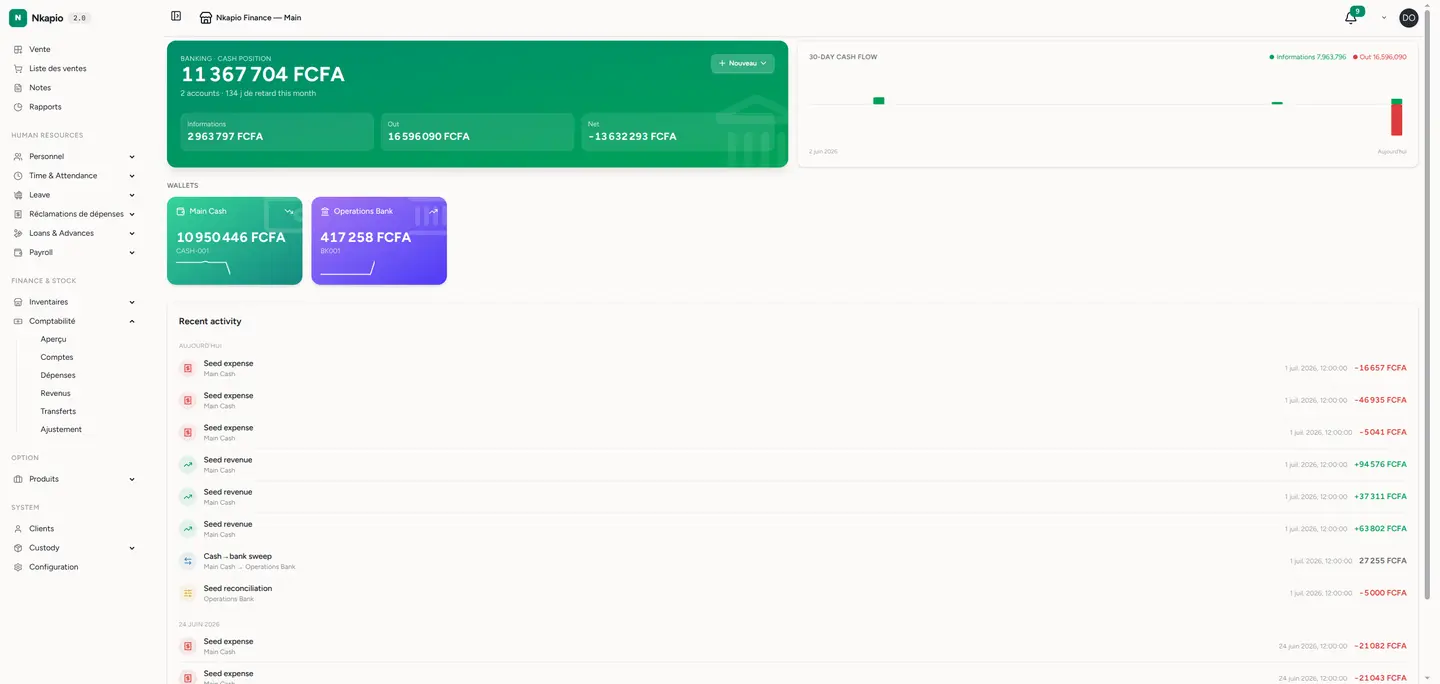
Step 1 — Open the banking overview
Click Banking in the sidebar. You see each account with its running balance and recent movements, so you always know where your money sits.
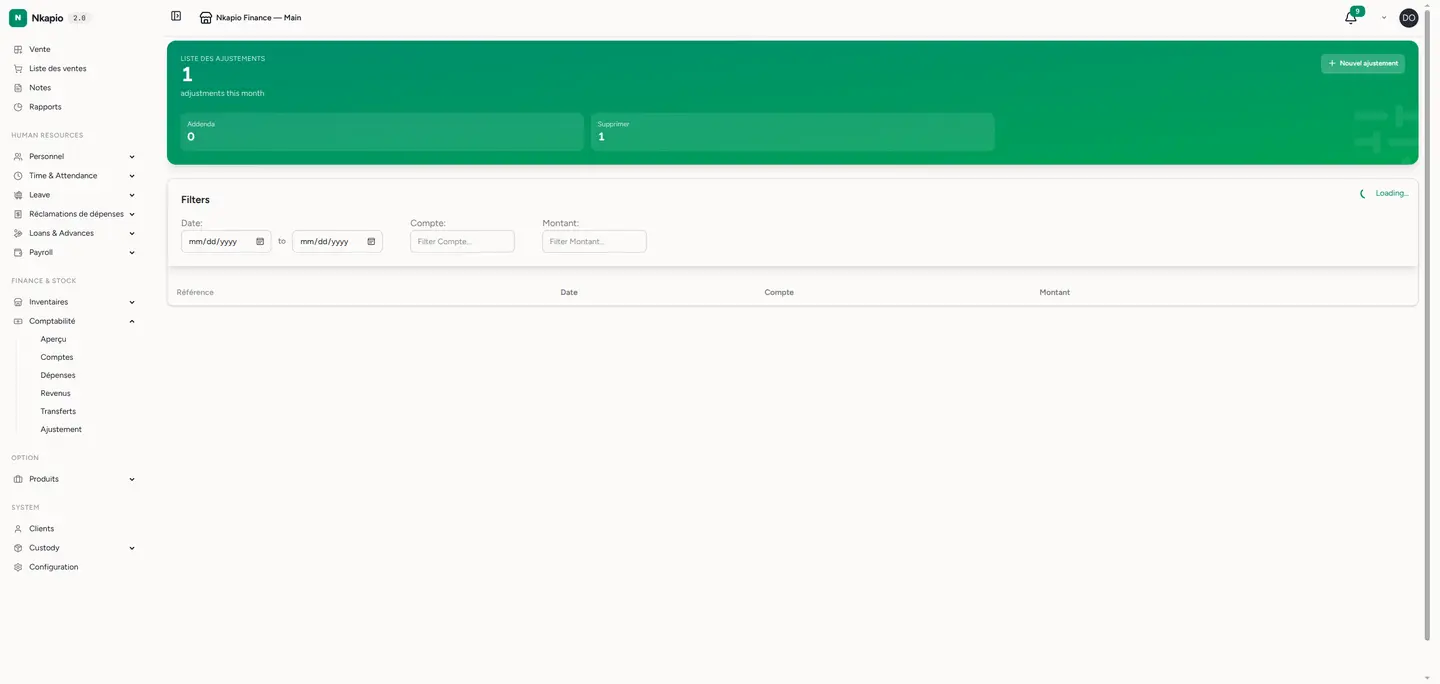
Step 2 — Review adjustments
Open the Adjustments list. Each adjustment shows its date, accounts, amount and a note explaining why it was posted. Filter by date or account to audit past entries.
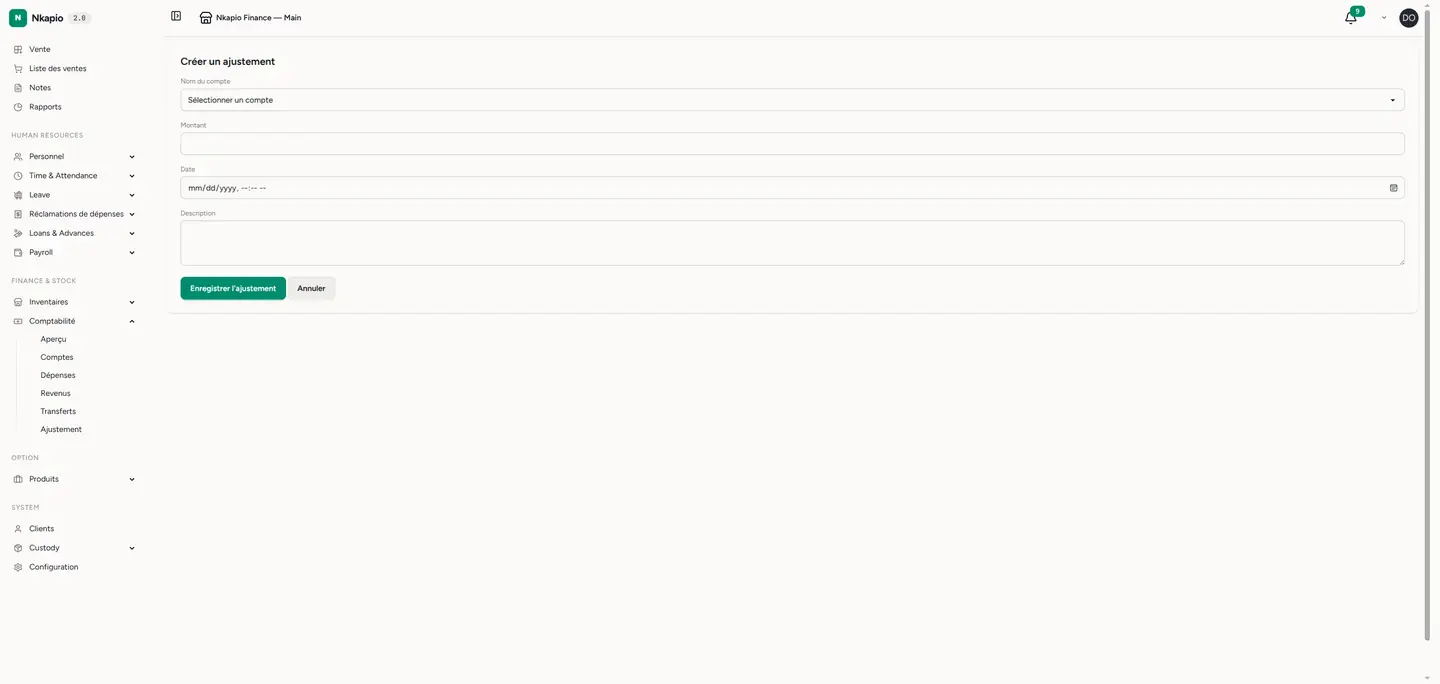
Step 3 — Post a new adjustment
Click New adjustment. Choose the accounts to debit and credit, enter the amount, add a clear note, and save. The entry posts to your ledger and updates the account balances immediately.
Tip: always write a note that explains why — future you, or your accountant, will thank you when reconciling the period.