An accounting period is the slice of time your numbers are grouped into for reporting — usually a month, sitting inside a fiscal year. Getting your fiscal year right means your revenue, expense and profit reports line up with the period your accountant actually reports on. Locking a period once it's finished keeps the totals you signed off on from quietly drifting afterwards. Fiscal settings are normally handled by the business owner or the accountant, not by front-desk staff.
Step 1 — Set your fiscal year
Go to Business settings and open the fiscal year section. Here you set the start month of your financial year and how the year is denoted — by the year it begins or the year it ends. Many businesses start in January, but you can match whatever your accountant uses.
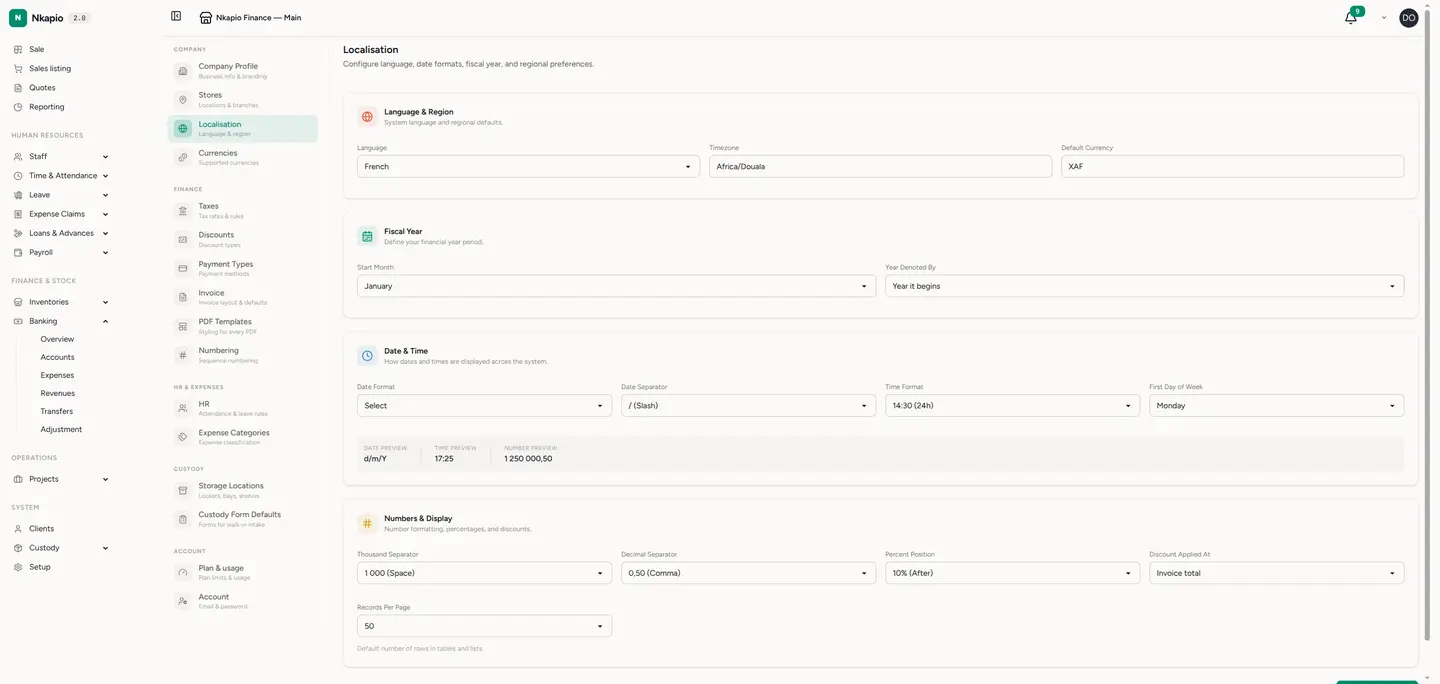
Tip: set your fiscal year before you run your first period-end report. Changing it later shifts how historical totals are grouped, so pick it once and leave it.
How fiscal years and periods fit together
If you use Nkapio's accounting overlay, the fiscal calendar goes one level deeper. Each fiscal year runs for twelve months from your start date and is split into twelve monthly periods, each carrying a status:
- Open — postings dated into this period are accepted as normal.
- Locked — the period is frozen; new journal entries can't be posted into it, so a month you've already reported on stays exactly as it was.
- Closed — the year itself has been wrapped up (see below).
Because the ledger is a single continuous set of books, balance-sheet accounts carry forward across years on their own — there's no re-entry of opening balances each year.
Closing a year
When a fiscal year is finished, running the year-end close does the housekeeping in one step: it checks the trial balance actually balances, clears your revenue and expense accounts into the result account, moves that result into retained earnings, opens the next fiscal year if one isn't there yet, and locks every period of the year just closed. If the trial balance doesn't balance, the close is refused — fix the journal first, then try again.
A locked period can still be unlocked by someone with accounting rights if you genuinely need to post a correction, then locked again. Treat that as the exception, not the routine.
Before you start
- Feature — fiscal years, periods, opening balances and the year-end close live in Nkapio's accounting overlay. Turn accounting on before you expect to see them.
- Permission — managing fiscal years, locking or unlocking periods and closing a year all require accounting management rights. If those controls aren't visible, ask an administrator to grant them.
- Reports — locking or closing a period doesn't hide it. Reports still read the ledger for whatever date range you choose; the lock only stops new entries from landing in that period.
Tips & FAQ
- Lock each month once you and your accountant agree the figures — the simplest guard against a stray back-dated entry moving a total you've reported.
- What if I post into a locked period? The entry is refused. Unlock, post the correction, then lock it again.
- Does the year close on its own? No — the close is a deliberate step you run when the year is done, and it won't run if the books don't balance.